
Effective client communication is the backbone of any successful business, especially for small teams where every interaction matters. When your team is small, every email, call and message directly affects relationships, reputation and revenue. Without a proper system, communication can quickly become scattered across emails, chats, spreadsheets and notes.
The good news is that managing client communication doesn’t have to be complicated. With the right approach, small teams can stay organized, respond faster and build stronger client relationships. This step-by-step guide will help you create a simple and effective communication system that keeps both your team and your clients on the same page.
Why Client Communication Matters for Small Teams
Small teams often handle multiple roles at once. A salesperson might also handle onboarding, support, or follow-ups. Because of this, communication gaps can easily happen.
Strong client communication helps you:
- Build trust and long-term relationships
- Avoid misunderstandings and delays
- Track conversations and commitments
- Improve response time
- Increase customer satisfaction
When communication is clear and organized, clients feel valued and confident working with your team.
Step 1: Centralize All Client Information
The first step to managing communication effectively is keeping all client information in one place.
Many small teams struggle because conversations are spread across:
- Email threads
- Messaging apps
- Phone call notes
- Personal spreadsheets
When information is scattered, it becomes difficult to remember previous discussions or track progress.
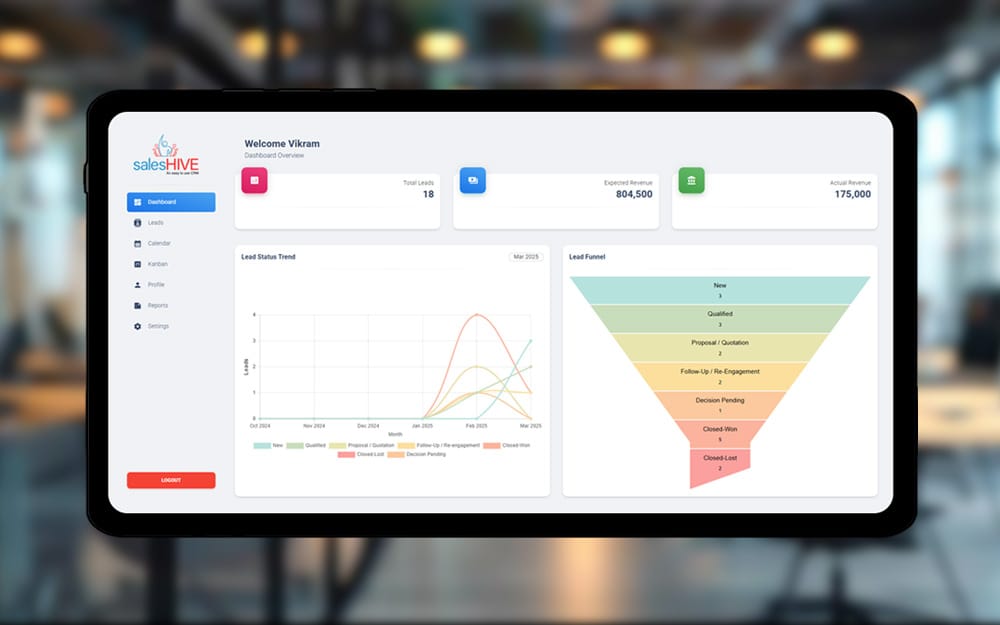
A cloud based crm helps solve this problem by storing client conversations, contact details, meeting notes and tasks in one centralized location. This makes it easy for every team member to access the same information without confusion.
Centralized information ensures that even if someone is unavailable, another team member can step in and continue the conversation smoothly.
Step 2: Define Clear Communication Channels
Not every conversation needs to happen in the same place. Defining clear communication channels helps your team stay organized.
For example:
- Email – Formal communication and documentation
- Phone calls or video meetings – Detailed discussions
- Messaging apps – Quick updates and clarifications
- Project tools – Task updates and timelines
Setting expectations with clients about where communication should happen can prevent confusion.
For instance, you might tell clients:
- Project updates will be shared via email
- Urgent questions can be sent through messaging
- Monthly reviews will be done through video calls
Clear channels make communication predictable and efficient.
Step 3: Create a Consistent Follow-Up System
One of the most common mistakes small teams make is forgetting to follow up with clients.
Follow-ups are important because they:
- Show professionalism
- Keep deals moving forward
- Prevent clients from feeling ignored
A structured follow-up system helps your team stay consistent. For example:
- Send a follow-up email after every meeting
- Check in after sending proposals
- Follow up on unanswered messages within 24–48 hours
Tracking interactions also improves sales pipeline management, allowing teams to see where each prospect or client stands in the process.
When follow-ups become part of your workflow, opportunities are less likely to slip through the cracks.
Step 4: Document Every Interaction
Documentation may seem unnecessary in the moment, but it becomes extremely valuable later.
Whenever you speak with a client, record important details such as:
- Key discussion points
- Client concerns or expectations
- Agreed deadlines
- Next action steps
Even a short note can save hours of confusion later.
For example, if a client mentions a specific requirement during a call, writing it down ensures that the team remembers it when delivering the project.
Documentation also improves accountability because everyone knows what was promised and when.
Step 5: Use Templates to Save Time
Small teams often spend too much time writing similar emails repeatedly. Using communication templates can significantly improve efficiency.
Common templates include:
- Meeting follow-up emails
- Proposal delivery messages
- Project updates
- Payment reminders
- Client onboarding emails
Templates ensure that communication remains professional and consistent across the team.
However, it is important to personalize each message slightly so clients feel that the communication is tailored specifically for them.
Step 6: Set Internal Communication Rules
Managing client communication also requires strong coordination within your team.
Internal rules help avoid confusion such as:
- Multiple team members responding to the same client
- Missed messages
- Duplicate work
Some simple internal rules could include:
- Assign one primary contact for each client
- Update communication records after every interaction
- Inform the team before making major commitments
When everyone follows the same system, communication becomes smoother and more reliable.
Step 7: Respond Quickly but Thoughtfully
Speed matters in client communication. Slow responses can make clients feel ignored or unimportant.
While instant replies are not always possible, setting response expectations helps maintain professionalism.
For example:
- Respond to emails within one business day
- Acknowledge urgent messages quickly
- Provide updates if a detailed answer will take time
Even a simple message like “We received your request and will get back to you shortly” can reassure clients that their message hasn’t been overlooked.
Step 8: Schedule Regular Client Check-Ins
Regular communication strengthens relationships and prevents problems from growing unnoticed.
Small teams can benefit from scheduling routine check-ins such as:
- Monthly review calls
- Progress update emails
- Quarterly feedback discussions
These conversations help you understand client satisfaction and identify opportunities to improve.
Clients appreciate proactive communication because it shows commitment to their success.
Step 9: Measure and Improve Communication
Client communication should continuously evolve.
Small teams can improve by reviewing:
- Response times
- Client feedback
- Communication errors or delays
- Missed opportunities
If clients frequently ask the same questions, it may indicate that your communication is unclear. Adjusting processes based on feedback helps create a better experience over time.
Common Client Communication Mistakes to Avoid
Even experienced teams sometimes struggle with communication challenges. Avoid these common mistakes:
- Sending vague or incomplete messages
- Overloading clients with too many updates
- Ignoring small questions that later become bigger issues
- Failing to confirm agreements in writing
Clear, simple and structured communication always works best.
Managing client communication effectively is essential for small teams that want to build strong relationships and grow sustainably. When communication is organized, transparent and consistent, clients feel confident working with your team.
By centralizing client information, defining communication channels, documenting interactions and maintaining a consistent follow-up process, small teams can avoid confusion and improve efficiency. Regular check-ins, faster responses and clear internal coordination further strengthen client relationships.
With the right systems in place, even a small team can deliver a professional and seamless client experience that builds trust, improves collaboration and drives long-term success.


